Mac sync utility
Your Apple Notes,rebuilt in Notion.
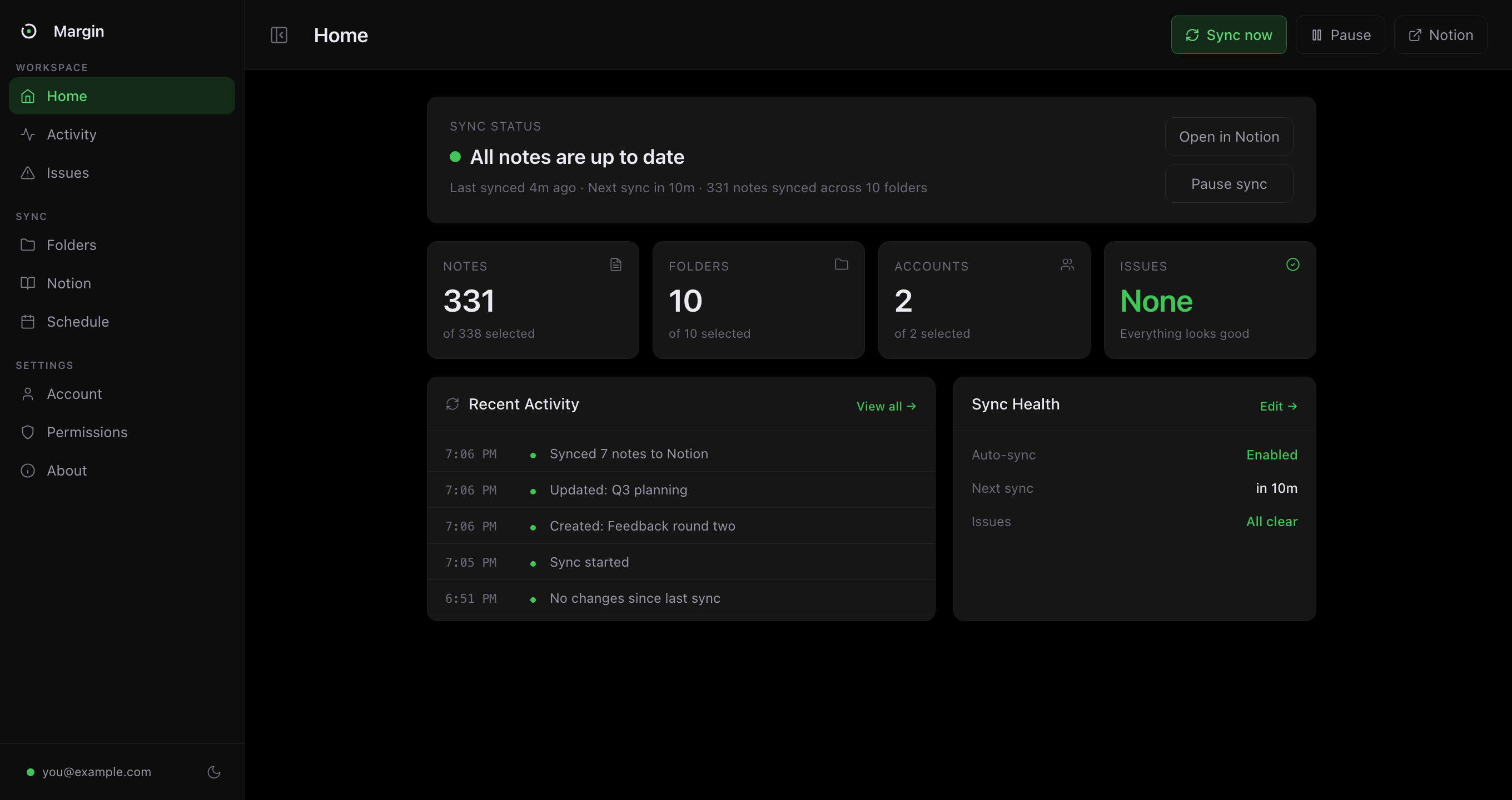
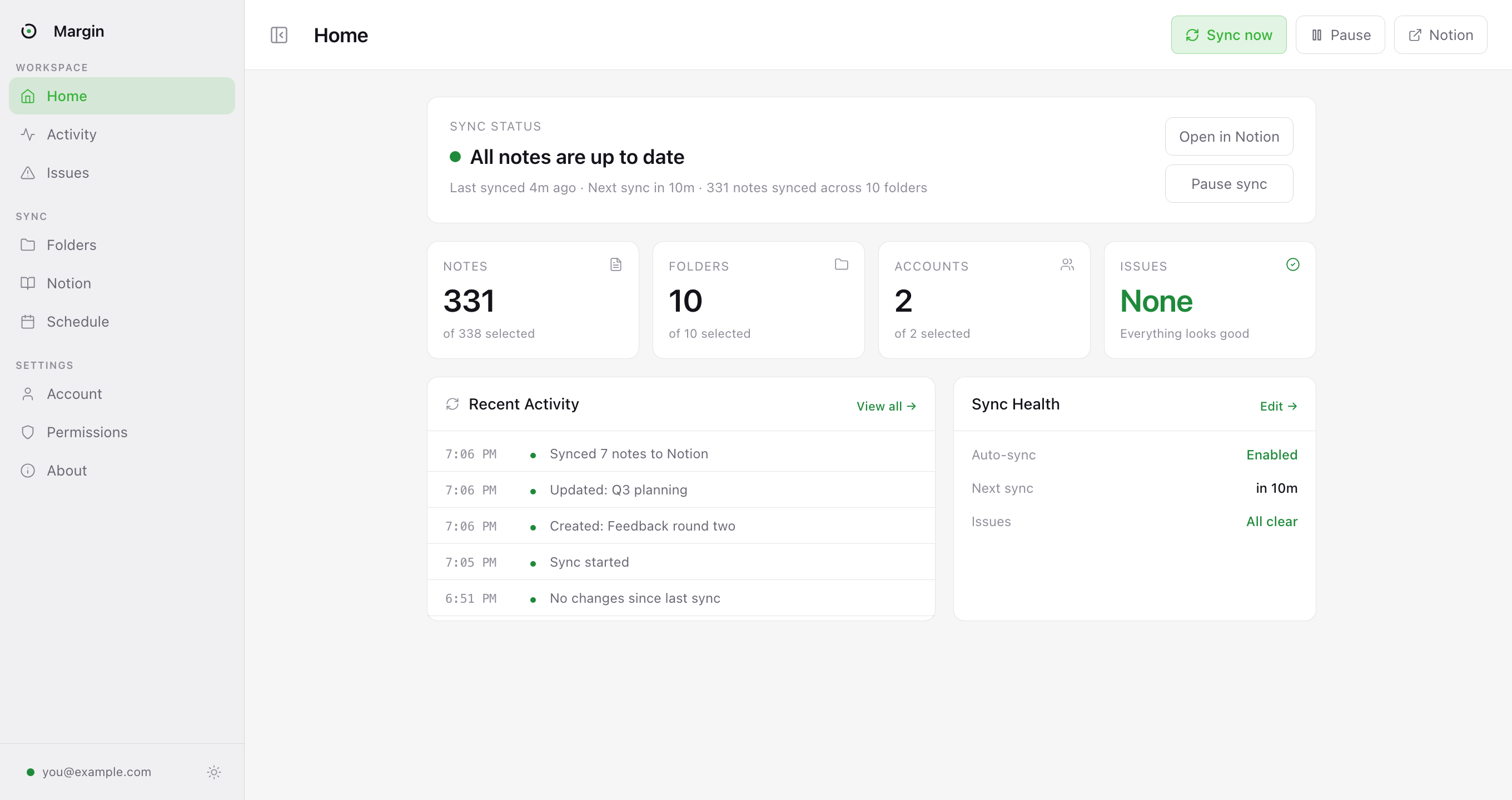
Margin watches the notes you choose, converts them into editable Notion blocks, and keeps them current from your Mac menu bar.
The gap
Apple Notes was never built
for automation.
That is why the usual workarounds feel brittle. Margin is not another Zapier recipe. It is a small Mac app built around the one place your notes can actually be read: your Mac.
Copy and paste
Works once
Then you edit the note, and the Notion copy is quietly wrong forever. Multiply by four hundred notes.
Zapier, Make, IFTTT
No trigger exists
None of them list Apple Notes as a trigger. They aren't being lazy. Apple ships no API for them to build one against.
Apple Shortcuts
Can't watch
A shortcut can fetch a note when you run it. It can't notice a note changed, diff it, turn it into Notion blocks, or carry the images.
Export to a folder
Loses the structure
You get a pile of HTML or PDF files. Folders flatten, formatting degrades, images detach, and it's a snapshot, dead the moment it lands.
Notion Web Clipper
Wrong tool
It clips web pages. Apple Notes isn't a web page, and there's no URL to point it at.
Margin
Solved
Watches your notes, works out what changed, rebuilds it as real Notion blocks and carries the images across. On your schedule, from your menu bar, without being asked.
Each of these is examined properly on the comparison page, and the reason none of them can work is that Apple ships no Apple Notes API.
The transfer
A clean bridge between two apps that never planned to meet.
Margin sits between Apple Notes and Notion, preserving the structure you care about while keeping the permissions deliberately narrow.
Margin
Q3 planning
Three bets for the quarter. Ship the sync engine first, everything else depends on it.
Q3 planning
Three bets for the quarter. Ship the sync engine first, everything else depends on it.
The full setup, step by step. About five minutes, most of it macOS asking permission.
Inside the app
Built like a Mac utility, not a web automation duct-tape job.
The app is small because the job is precise: read selected notes, rebuild them faithfully, and tell you plainly when anything needs attention.
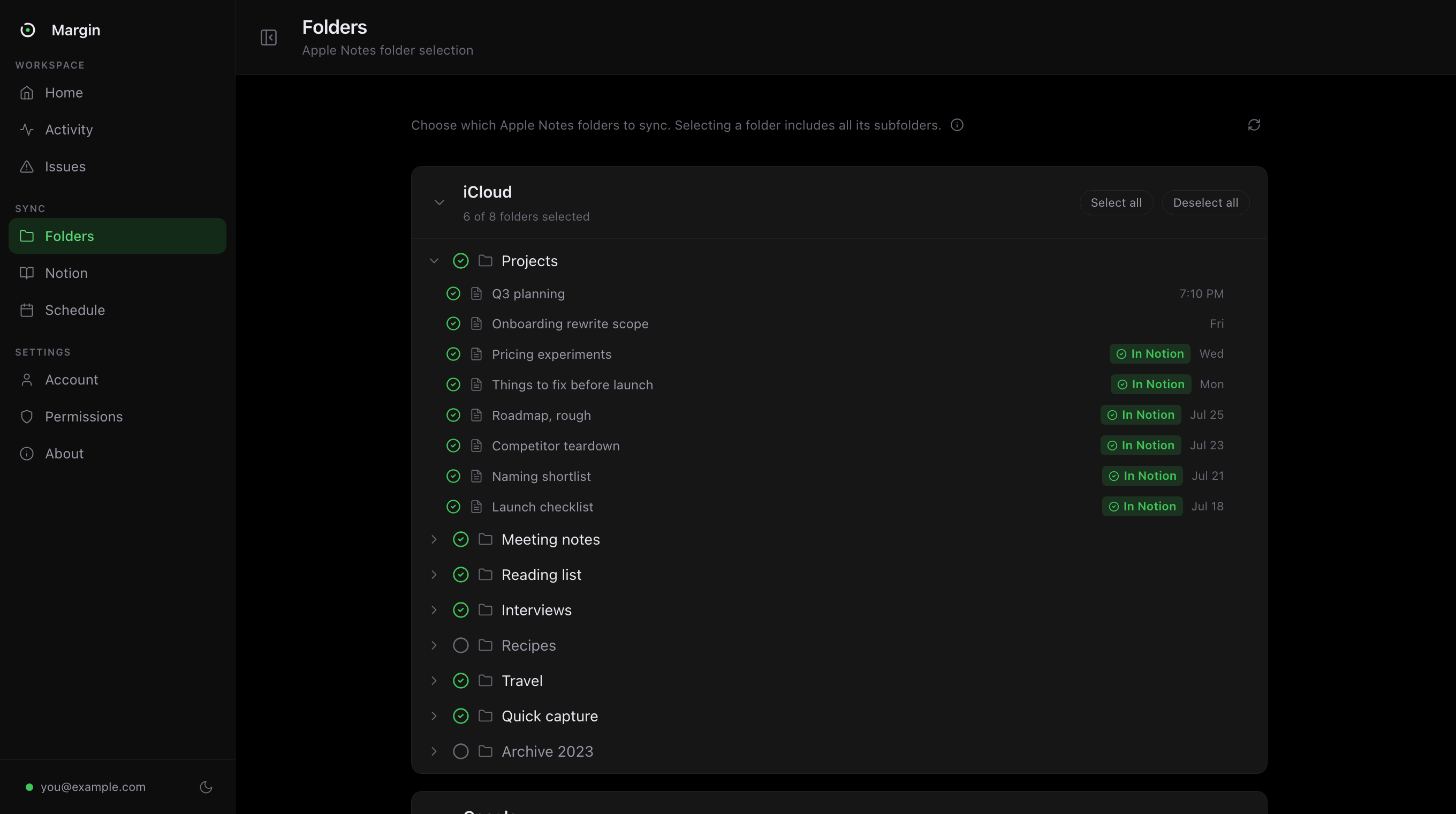
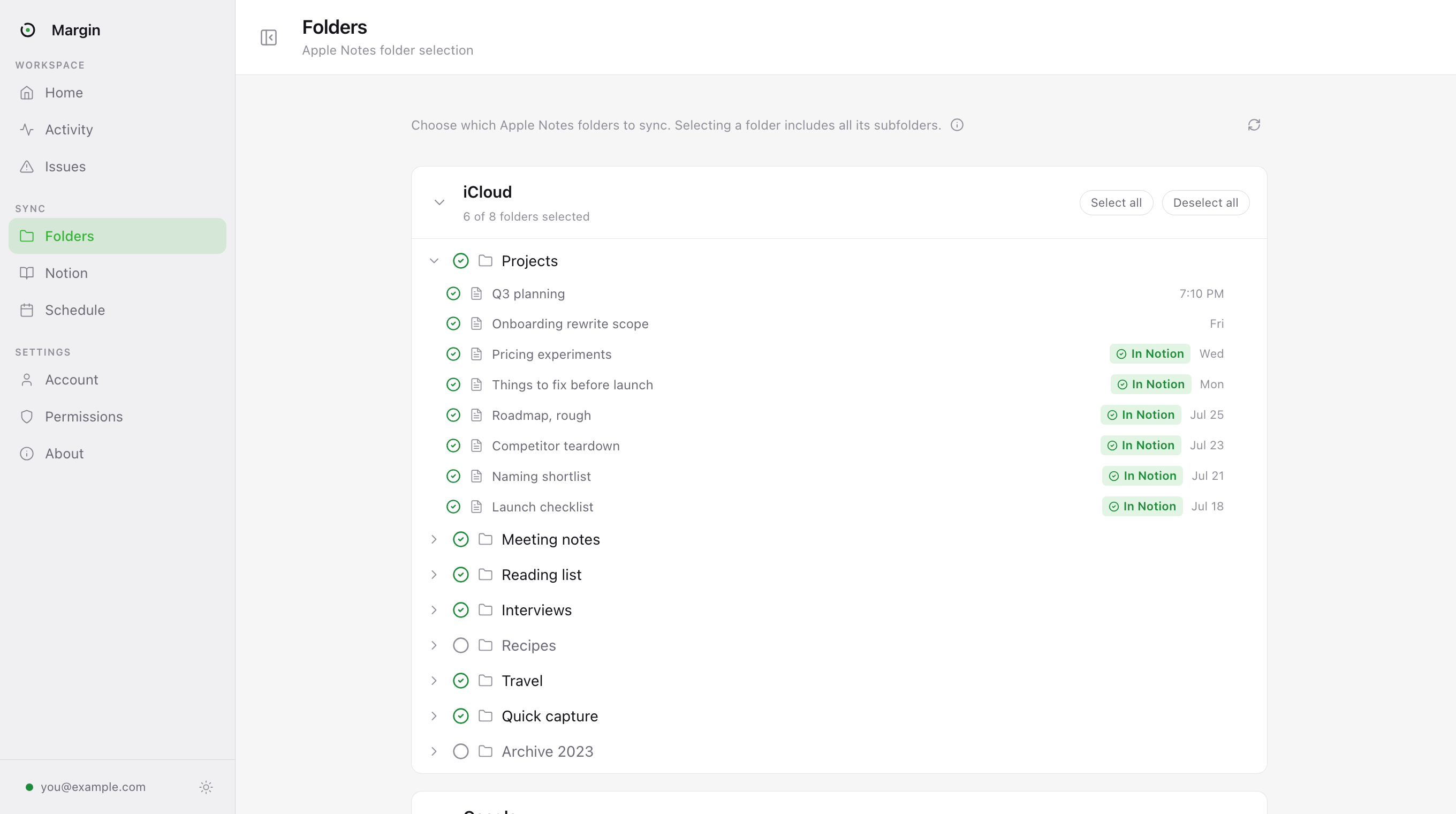
Choose exactly what gets mirrored
Pick whole accounts or individual folders. iCloud, On My Mac and any Gmail or Exchange accounts stay separate, and Margin only exports the folders you chose.
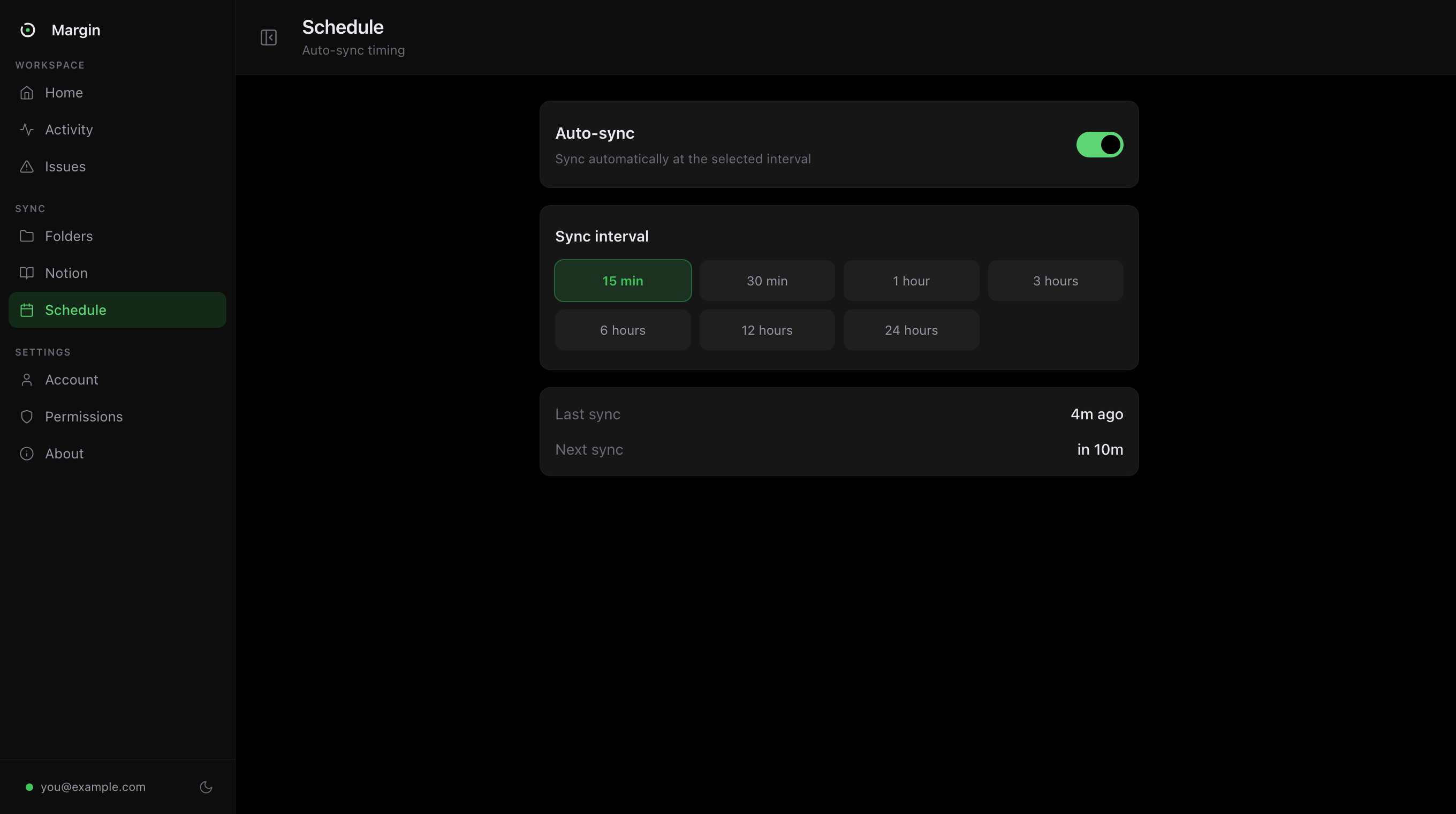
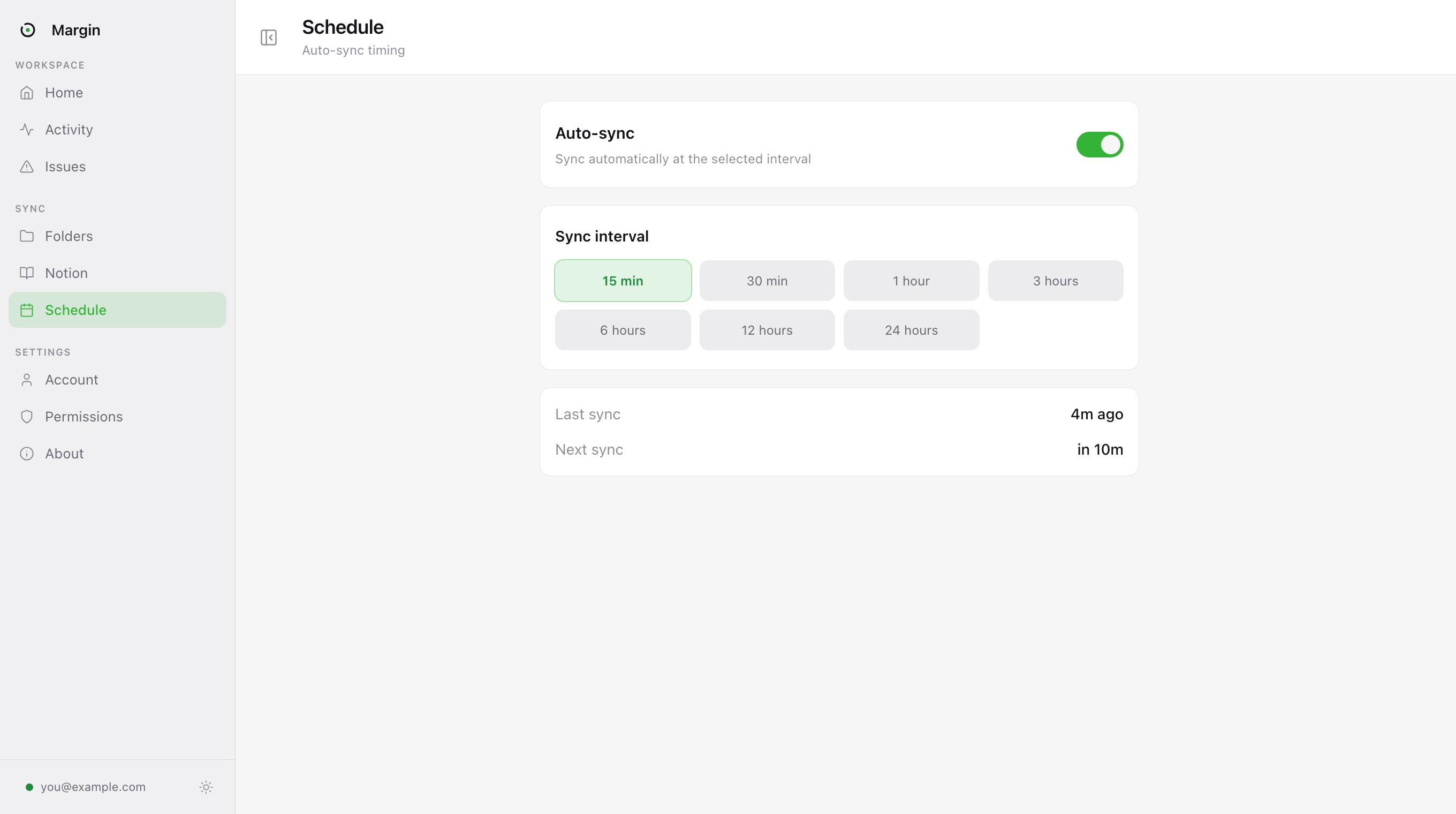
Sync on the cadence your work needs
Auto-sync starts at every 15 minutes or on your schedule, and you can stretch the interval whenever you want Margin to be quieter.
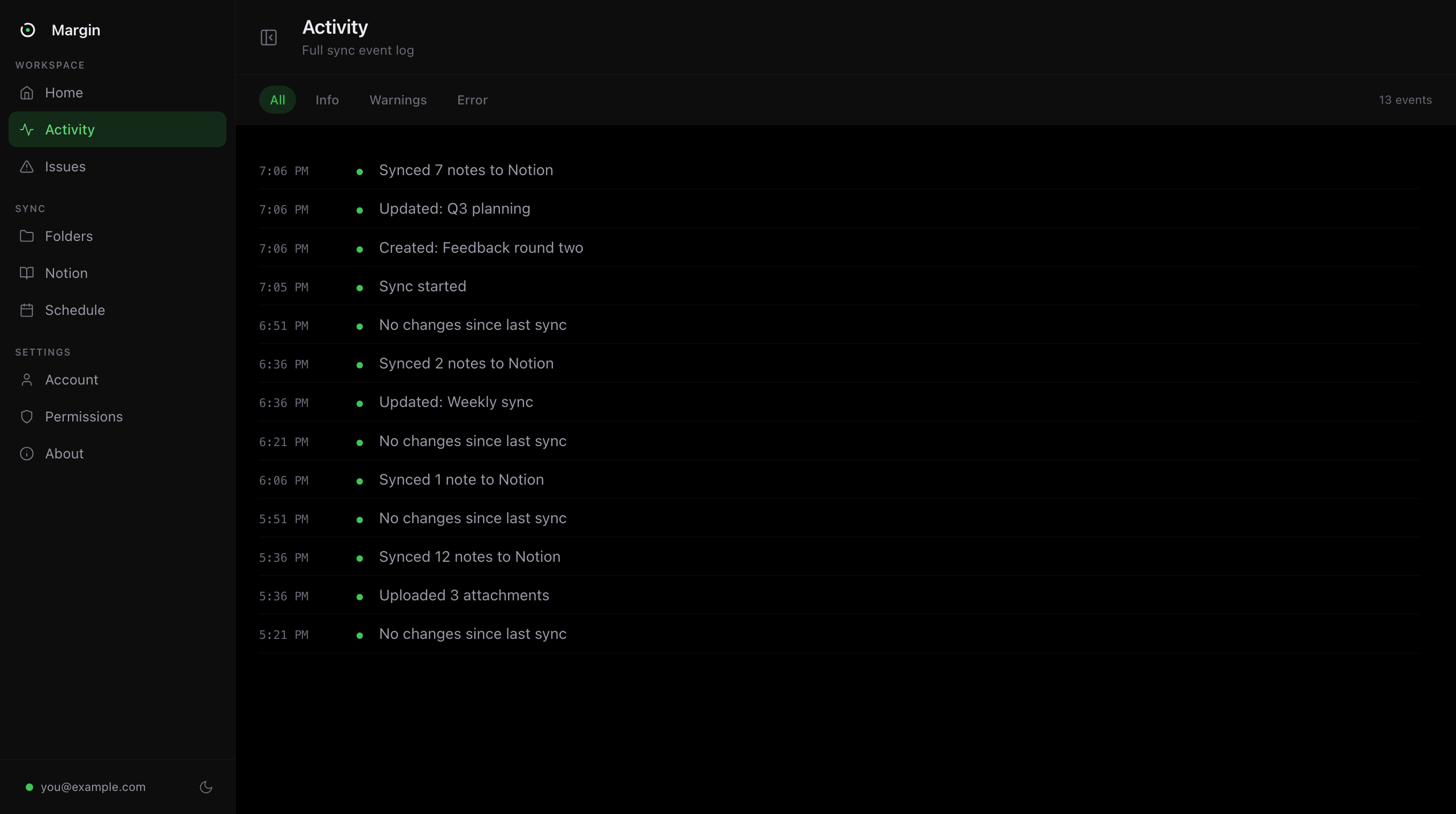
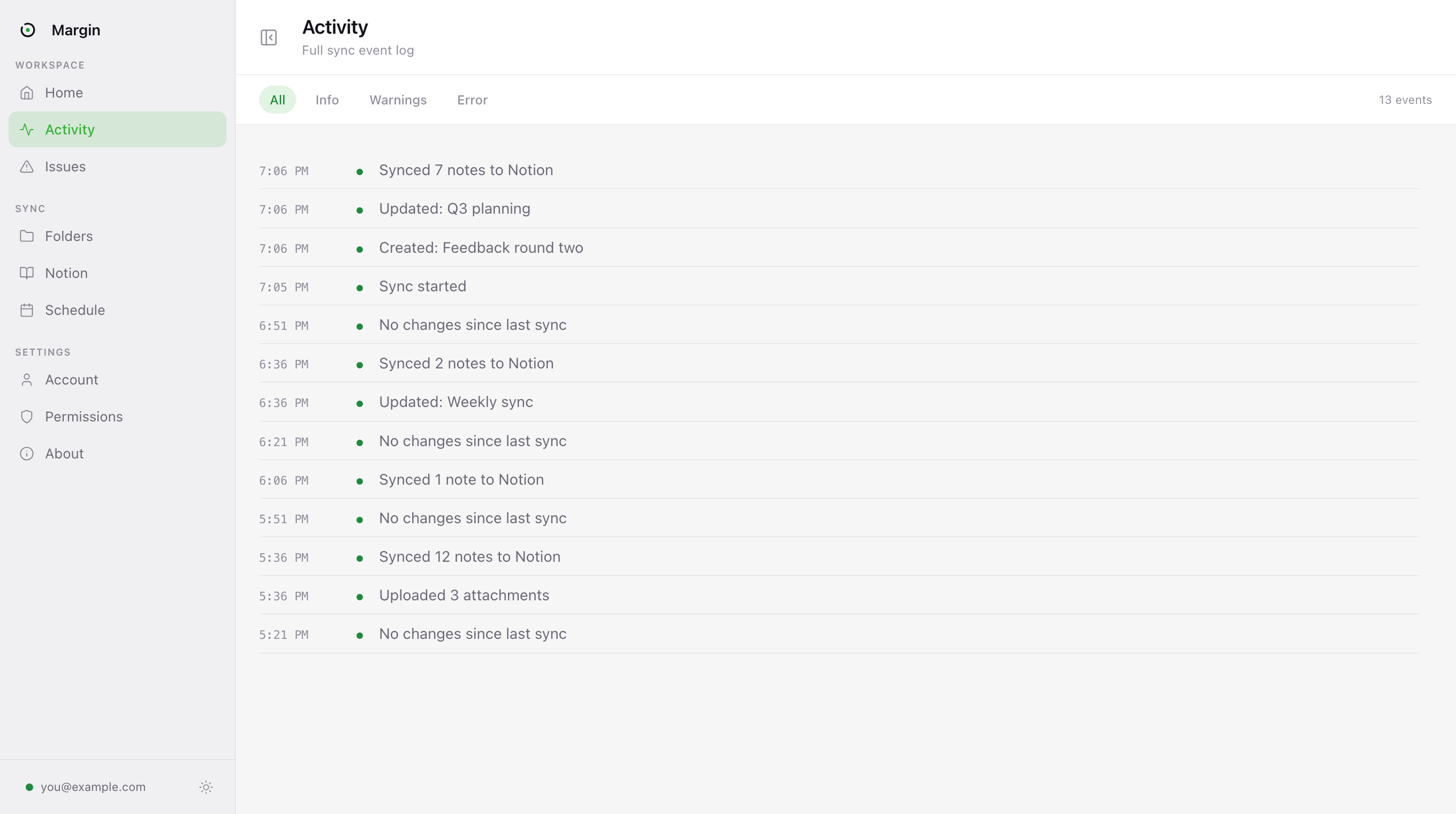
Every run leaves a readable trail
The activity log shows what started, what completed, and when the next sync is due, so you never have to wonder whether the mirror is alive.
Fidelity
The whole note. Not a flattened export.
Margin rebuilds your notes as the native Notion primitives they should have been: editable, searchable, and ready to work with.
There are things Margin does not do yet, including PDFs and other file attachments. We list all of them, with reasons.
Trust
A sync tool should earn the permission it asks for.
The product is designed around a hard boundary: your Mac reads Apple Notes, your Notion receives the pages, and Margin's server never handles note content.
Your notes go to your Notion. Nowhere else.
Notes are read on your Mac and sent straight to the workspace you authorized. They never reach our servers, and nothing in the app is capable of sending them there.
Apple Notes is never written to.
The connection to Notes is read-only. Margin reads, and that is the entire extent of what it can do. No bug and no update can alter a note you wrote.
One permission to sync, no tracking by default.
Automation access to Notes is all Margin needs. It asks for nothing else it can work without: no contacts, no location, no accessibility control. Error reports stay off until you switch them on, and they never include your notes.
Your Notion connection stays in Keychain.
Stored by macOS, on your machine, never in a file and never on a server. Revoke it from Notion whenever you like.
Margin keeps a small table linking each note to the Notion page it created, so reinstalling never duplicates your library. Every field of it is documented, along with every server the app can contact.
Questions
The things worth asking first.
Because Apple publishes no Apple Notes API. Zapier, Make and IFTTT build integrations against APIs, and there isn't one here, and that's why none of them list Apple Notes as a trigger. Shortcuts can reach your notes, but it can't run continuously in the background, notice that a note changed, convert it into Notion blocks, or carry the images. Margin does all four.
An export is a snapshot: a folder of HTML or PDF files that's out of date the moment it finishes, with your folder structure flattened and your images detached. Margin keeps the two in step continuously, rebuilds each note as native Notion blocks, and re-uploads only what actually changed.
No. The connection to Notes is read-only, so nothing Margin does can alter a note you wrote. Sync runs one way only: Apple Notes to Notion.
No. Your notes are read on your Mac and sent straight to Notion over the connection you authorised. Margin keeps a small table linking each note to the Notion page it created. That's what stops a reinstall duplicating your library, and every field of it is documented on the privacy page.
Not in the app. Nothing records which screens you open, what you click, or when you use it, and there is no advertising code in the build. (This website counts page views, cookielessly; that is described on the privacy page.) There is one optional error report, switched off until you turn it on in Permissions. When it's on, a failed sync sends the error type, how long it ran and how many notes it saw. It cannot send note content, titles or folder names, because the app only accepts a fixed list of error codes and numbers. There is no field for your words to travel in.
That's macOS's standard Automation prompt, the same one every app that talks to another app has to show, worded by Apple. Margin uses it to ask the Notes app for your notes, and it's the only permission needed to sync. The app also offers Full Disk Access, which is optional and does one thing: it lets Margin notice a new or renamed folder straight away instead of at the next scan. Nothing else is requested, and you can revoke any of it in System Settings.
Apple Notes wins. Margin only touches a page when the note behind it has changed, so your Notion edits sit untouched until you next edit that note, and then the page is rebuilt to match. Treat synced pages as a mirror, or switch off Sync updates and Margin will create pages without ever rewriting one.
Nothing, unless you ask for it. Deleting in Apple Notes leaves Notion untouched by default. Turn deletion on and the page moves to a Deleted folder rather than being destroyed, so a mistake is always recoverable.
Images sync, and each one is uploaded once then reused wherever it appears, so a photo pasted into five notes is uploaded once, not five times. PDFs and other file attachments don't sync yet. It's being built.
Just one. Pick or create a single empty page and Margin builds your entire folder structure underneath it. Everything else in your workspace stays invisible to Margin. It can't read a page you didn't hand it.
No. You connect through Notion's own OAuth screen, so there's nothing to generate or paste. The connection is stored in your Mac's Keychain, and you can revoke it from Notion at any time.
An independent developer. Every release is code-signed with an Apple Developer ID tied to a verified identity, so you always know exactly who wrote the software you're running, and when you email support you reach the person who wrote the code.
No, and right now it isn't anything: Margin is free for the whole beta, with no card and nothing to cancel. If it becomes paid later you'll be told before it happens. Either way, sync runs one way into your own Notion workspace, so everything Margin creates already sits in an account you control.
macOS 11 or later, Apple silicon. Every release is notarized by Apple, so it opens without a Gatekeeper warning and updates itself in place.
Put your notes where your work happens.
Install it once, connect Notion, and let Margin keep the mirror fresh. The beta is free to use.
Free to use during the beta. macOS 11 or later, Apple silicon